How to Use Circle Flag SVGs in Any Web Project
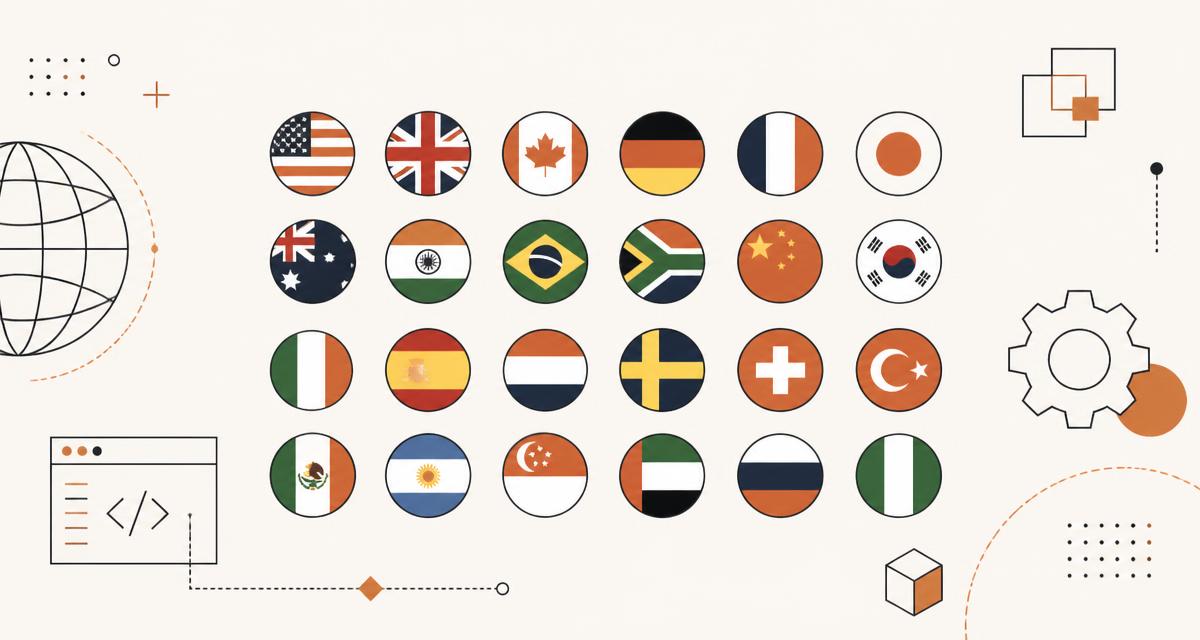
Circular SVG country, state, language and symbol flags are everywhere: language pickers, phone-number inputs, leaderboards, shipping selectors and dashboards. This guide covers the four ways to ship them, when each one wins, how to keep a 250-flag grid fast on a phone, and the accessibility details most implementations miss.
Why circular flags instead of rectangles
Official flags come in a spread of aspect ratios. Switzerland and Vatican City are square, Nepal is not even a rectangle, Qatar is unusually wide, and most others sit somewhere between 1:2 and 2:3. Dropping that variety into a list produces ragged rows, uneven baselines and labels that never line up.
A circular crop normalises everything to one shape. Every icon occupies the same box, so a country picker with 250 entries has a single column width, a single line height and predictable spacing. Circles also sit naturally beside avatars and badges, which is where flags usually appear.
The tradeoff is that a circle hides part of the design. Flags with meaningful edge detail, or with text near the hoist, lose information. Where the flag itself is the content rather than a label decoration, show the rectangular version instead and keep circles for compact UI.
Option 1: Reference the SVG file directly
The simplest approach is an img tag pointing at a static SVG. The browser caches the file, the markup stays tiny, and you can swap flags at runtime by changing the country code in the src attribute.
Use this whenever you render more than a handful of flags. Each file is fetched once and reused for the rest of the session, and a country picker that reuses the same twenty flags across pages effectively costs nothing after the first paint.
Because the file is a separate document, its internal paths are invisible to your stylesheet. You can still set width, height, border-radius, opacity and filters on the img element itself, which covers most real styling needs.
- Smallest HTML payload, one tag per flag.
- Browser cache does the heavy lifting across pages and routes.
- Cannot be recoloured with CSS, since the SVG is a separate document.
- Works with loading="lazy" and decoding="async" out of the box.
Option 2: Inline the SVG markup
Inlining puts the full SVG into your DOM. Every path becomes styleable and animatable, and there is no extra network request, at the cost of a much larger HTML document and no cross-page caching.
Inline flags are the right call for a single hero flag, an editor preview, a flag being customised live, or anywhere you need to animate individual shapes. They are the wrong call for a grid.
In React, inlining usually means importing the SVG as a component. That is convenient, but remember the markup ships inside your JavaScript bundle, so twenty inlined flags is twenty flags of parse cost on every visit, cached or not.
Option 3: CSS data URIs
Encoding the SVG as a data URI lets you set a flag as a background-image without touching markup. It is handy for pseudo-elements, for design systems where the flag is purely decorative, and for cases where you cannot add an element at all.
Keep data URIs for one-off cases. Base64 encoding adds roughly a third to the file size, and repeating the same URI in several rules defeats caching entirely because the bytes live in your stylesheet rather than in a cacheable file.
If you do use data URIs, prefer URL-encoded SVG over base64. It stays readable, compresses better with gzip or brotli, and avoids the size penalty of base64 padding.
Option 4: One sprite for many flags
A sprite bundles many flags into a single SVG document, each wrapped in a symbol with an id. You reference one with a short use element, and the browser downloads the whole set exactly once.
This is the best option for dense interfaces: a country table, a results leaderboard, an admin dashboard listing every market you operate in. One request replaces two hundred, which matters far more on a mobile connection than the raw byte count does.
Sprites have two caveats. Cross-origin references are blocked, so the sprite must be served from your own origin, and older tooling sometimes strips the xlink:href attribute that legacy browsers need. Both are easy to test once and forget about.
- One HTTP request regardless of how many flags appear.
- Reference a flag anywhere with a use element and a fragment id.
- Must be same-origin; a CDN on another domain will silently render nothing.
- Best paired with a build step that only includes the countries you actually use.
Choosing a format quickly
Most teams overthink this. The decision comes down to how many flags appear at once and whether you need to restyle them.
- One to ten flags, no restyling: plain img tags.
- Dozens or hundreds at once: a sprite.
- One large flag you animate or recolour: inline SVG.
- Decorative flag with no element to hang it on: CSS data URI.
- Email, PDF or a canvas export: PNG at twice the display size.
When you still need PNG
SVG covers the web, but several contexts refuse it. Email clients are inconsistent at best, many PDF pipelines rasterise poorly, Open Graph previews expect a bitmap, and canvas compositing is simpler with an image you can draw directly.
Export PNG at twice your display size to stay sharp on high-density screens: 64 pixels for a 32-pixel icon, 128 for a 64-pixel one. Anything beyond 512 is wasted for an icon-scale asset.
Keep the SVG as your source of truth and generate PNG on demand rather than maintaining two libraries. Regenerating from vector takes seconds and avoids the classic problem of a flag being updated in one format only.
Naming, codes and the edge cases
Name files by ISO 3166-1 alpha-2 code in lowercase. Two characters, no spaces, no localisation, stable over decades. Every dataset you will ever join against uses the same key.
The edge cases are worth handling deliberately. The United Kingdom is gb, not uk, and its constituent nations use subdivision codes such as gb-eng and gb-sct. The European Union uses the reserved code eu. Kosovo has no assigned code and is conventionally filed under xk. Some datasets still carry historical codes for states that no longer exist.
Map user-facing names separately from file names. A search field should match "Holland" to the Netherlands, "South Korea" to kr and "UAE" to ae, and that alias list belongs in your data layer rather than in your filenames.
Accessibility that actually matters
A flag is not a language, and a flag is not a country name for a screen reader. Spanish is spoken in twenty countries, English in more, and choosing one flag to represent a language silently tells a large share of your users that they are an afterthought.
The rule is simple: if the flag carries meaning on its own, give it an accessible name. If it merely decorates a label that already says "Germany", hide it from assistive technology so the country is not announced twice.
- Meaningful flag: alt="Germany", or role="img" with aria-label on inline SVG.
- Decorative flag: empty alt and aria-hidden="true".
- Never rely on the flag alone, always pair it with a text label.
- For language pickers, label with the language endonym rather than a flag.
- Check contrast: white-heavy flags such as Japan need a subtle ring to stay visible on light surfaces.
Performance checklist for large flag grids
Flags are small, but 250 of them on one screen is not. A few habits keep a full country grid smooth on a mid-range phone.
The biggest win is not shipping what is off screen. Virtualising a long list so only the visible rows exist in the DOM turns a heavy grid into a light one, and it compounds with lazy loading rather than competing with it.
- Add loading="lazy" and decoding="async" to off-screen flags.
- Set explicit width and height so the layout never shifts as images arrive.
- Virtualise lists longer than roughly a hundred items.
- Use a sprite when dozens of flags are visible at once.
- Serve from your own origin so the files benefit from your cache headers and CDN.
- Debounce search input so filtering a large list does not rerender on every keystroke.
Licensing and respectful use
The flag artwork on HatScripts comes from the MIT-licensed circle-flags project, so commercial use is fine as long as the licence notice travels with the files you redistribute.
Licensing is separate from national law. Several countries regulate how their flag may be used in branding, packaging and advertising, and a permissive asset licence does not override that. Check local rules before putting a flag on a product rather than in an interface.
Political sensitivity is worth a moment of thought too. Disputed territories, subdivision flags and historical variants all carry meaning for the people they represent, so pick the set your audience expects rather than the longest list available.
A short implementation recipe
Put the SVG files in a public directory keyed by ISO code. Build a small helper that turns a code into a URL, and a second one that maps aliases and localised names onto codes for search.
Render with img tags by default, lazily below the fold, with explicit dimensions. Add a sprite build only when a screen genuinely shows dozens of flags at once, and reach for inline SVG only on the single flag a user is editing.
Then test the boring cases: a missing code, a code your dataset spells differently, and a screen reader walking the list. Those three checks catch nearly every flag bug that reaches production.
Questions about the tools in this guide
Short answers about the hubs this article touches, each linking straight to the tool.