Country Flag Icons in CSS: A Practical Guide
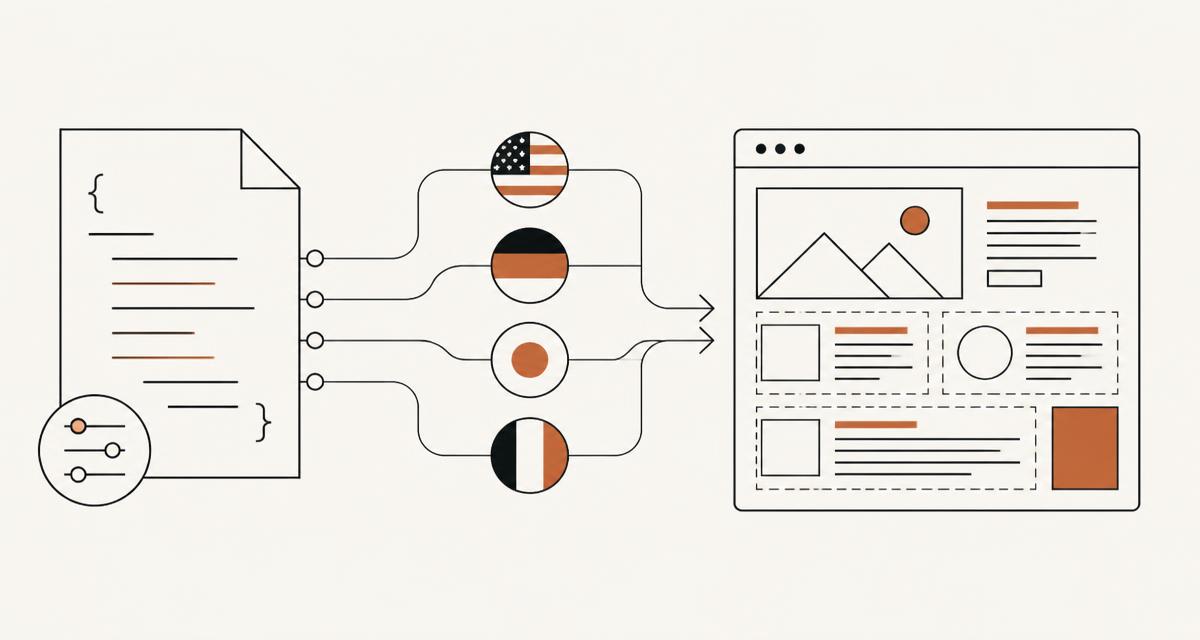
Adding country flags to a web page sounds trivial until you try to do it properly at scale. This guide covers the practical CSS techniques for using flag icons, from simple background images to sprite sheets and dark mode handling. All the examples assume you are working with SVG flag files such as the 800+ circular SVG country, state, language and symbol flags at /flags.
Background-image with SVG files
The simplest approach is a background-image rule pointing at an SVG file, one per country code. Set background-size to contain or cover depending on whether the flag is circular or rectangular, and set background-repeat to no-repeat. If you already have a folder of per-country SVGs, such as those generated from /flags, you can map an ISO 3166-1 alpha-2 code directly to a class name like flag-gb or flag-fr.
Keep the element square for circular flags so the aspect ratio does not distort the circle. A fixed width and height in em units, discussed below, keeps this consistent across font sizes.
- One class per country code keeps CSS generation scriptable
- background-size: contain avoids stretching the circle into an oval
- background-repeat: no-repeat is easy to forget and causes tiling artefacts
Data URIs versus file references
You can inline an SVG as a data URI directly in the background-image value, which avoids an extra HTTP request but bloats the CSS file and cannot be cached separately from the stylesheet. For a small number of flags this is fine. For all 256 countries, separate files referenced by URL are almost always the better trade-off, since browsers cache each flag once and reuse it across pages.
A middle ground is to inline only the flags actually used on a given page, generated at build time, and reference the rest as files.
Recolouring with mask-image
Flags are inherently multi-coloured, so background-image alone cannot be recoloured with CSS colour properties. If you need a monochrome or theme-tinted version, such as a greyed-out flag for a disabled option, use mask-image instead of background-image, set the mask source to the SVG, and apply background-color to the element. The mask uses the alpha channel of the SVG as a stencil, and the background-color shows through wherever the flag is opaque.
This only works well for flags that are meant to become a single flat colour. For most UI purposes, showing the flag in full colour and only reducing opacity for a disabled state looks better and needs no mask.
Sizing with em units
Flags placed next to text, such as in a country list or a language switcher, should scale with the surrounding font size rather than staying a fixed pixel size. Setting width and height in em units, for example 1.2em by 1.2em, means the flag automatically resizes when the user increases browser zoom or when the component is used in a larger heading elsewhere on the page.
Because the flags at /flags are SVG, they stay sharp at any size, so there is no need for separate small and large asset variants for CSS use, unlike raster PNG icons.
Sprite sheets with background-position
If a page needs many flags and you want to avoid 250 separate HTTP requests, a sprite sheet combines all flags into one image, and each flag is shown by setting background-position to the coordinates of that flag within the sheet. This technique predates HTTP/2 and matters less now that most browsers multiplex requests over a single connection, but it is still useful for very large lists or for offline or email-safe HTML where external requests are limited.
Building a sprite sheet from SVGs requires either rasterising them all into one PNG grid at a fixed size, or using an SVG sprite with symbol elements and use references, which keeps the vector quality. The bulk export tools on /flags can produce a full SVG sprite for exactly this use case.
Flags as pseudo-elements
Rather than adding an extra span or img element purely to hold a flag, you can attach it as a ::before or ::after pseudo-element on an existing list item or link, with content set to an empty string and the flag applied through background-image. This keeps the markup focused on real content and treats the flag as decoration, which is appropriate when the country name is already present as visible text.
Do not do this if the flag is the only indicator of the country, since pseudo-element content is invisible to screen readers and to text search on the page.
Dark mode and borders
Some flags, particularly white-heavy ones like Japan or Poland, disappear visually against a light background and blend into a dark background differently again. A thin border, for example 1px solid with a colour that adapts under a prefers-color-scheme media query, keeps every flag legible on both light and dark themes. A subtle box-shadow can achieve the same effect without adding to the element box size if you use an inset value.
Test the full set of flags against both themes rather than a handful, since edge cases like all-white or all-black flags are easy to miss until you scroll through the complete list.
Pitfalls with emoji flags on Windows
It is tempting to use the Unicode regional indicator emoji flags as a zero-asset alternative to image-based flags. This works acceptably on macOS and iOS, but Windows historically renders these emoji as two-letter country codes instead of flag glyphs, since Microsoft chose not to ship the flag emoji font by default for years. Some browsers on Windows work around this with a bundled font, but the result is inconsistent across browser versions and operating system builds.
If consistent rendering matters, an SVG-based approach such as the one described throughout this guide avoids the problem entirely, because you control the exact image rather than relying on the operating system font.
A worked example: a language switcher
Put the techniques together with a small language switcher. The markup is a row of anchor elements, each with a country class such as flag-gb or flag-fr, visible link text naming the language, and an aria-current attribute on whichever link matches the active locale. The CSS gives each anchor a fixed 1.2em square background-image sized with contain, no-repeat, and a small margin-right so the flag sits next to the text rather than above it.
A hover state can lighten the background behind the link and a focus-visible outline keeps keyboard users oriented, since the flag itself provides no focus indication on its own. The class-per-country approach means adding a new locale is one new CSS rule and one new anchor, with no changes to the layout logic.
For a bigger switcher with a dozen or more languages, group by region with a heading per group rather than one long flat list, since scanning a long list of similarly shaped circular flags is slower than scanning a shorter list broken into recognisable groups.
Browser support notes
background-image, background-size, background-position and background-repeat are supported identically across all current browsers and have been stable for well over a decade, so none of the sizing or sprite techniques above need a fallback. mask-image support is broad in current browsers but Safari has historically required the -webkit-mask-image prefix, so recolouring code should set both -webkit-mask-image and the unprefixed mask-image together.
prefers-color-scheme, used for the dark mode border technique, is supported in every current browser and safely ignored as a no-op media query in anything old enough not to support it, so it needs no fallback beyond a sensible default border colour outside the media query.
Performance checklist
A short list to run through before shipping a page with many flag icons.
- Reference flags as external SVG files rather than inline data URIs once the count goes much above a handful
- Use an SVG sprite with symbol and use if avoiding many small requests matters for the target audience
- Set explicit width and height, or an aspect-ratio, so the layout does not shift while flags load
- Avoid animating box-shadow directly on flag elements in long lists; animate a pseudo-element or use transform instead
- Lazy-load flags far down a long list with loading="lazy" if they are img elements rather than background images
FAQ
Can I use PNG flags instead of SVG with these techniques? Yes, background-image and mask-image both work with raster formats, though mask-image recolouring benefits from a clean vector alpha channel and can look rougher with a low-resolution PNG at large sizes.
Do I need a different flag for a country with multiple official flags, such as a civil and state ensign? Pick one for general UI use, typically the civil flag people recognise from national contexts, and only bother with the distinction if the product specifically deals with maritime or government use cases.
Why does my flag look blurry at a large size? The background-image is probably a raster file being scaled up past its native resolution; switch to an SVG source, which has no fixed resolution and stays sharp at any display size.
Questions about the tools in this guide
Short answers about the hubs this article touches, each linking straight to the tool.